Activate before the first project
Cricut requires activation at cricut.com/setup using a compatible computer and USB connection before first use. A computer is needed again for firmware updates; it does not stay connected for each mug. The press has no Bluetooth connection. Check the current setup requirements before buying if you only have a phone or tablet. Cricut’s activation FAQ explains that requirement.
Make space for hot mugs
The North American model is listed at 11 × 6.2 × 6.5 inches and 500 W. Those are body dimensions, not a complete working footprint. Reserve space to open the lever, load the mug and leave it on a heat-resistant cooling surface. Cricut requires ventilation and warns that the heat plate and mug can cause burns. Keep children and pets away from the work area.
The press automatically controls its normal cycle. The FAQ’s roughly six-minute average depends on room and starting mug temperature; it is not a timer setting. Follow the progress indicators and complete-project instructions rather than timing a mug by that estimate.
Start with the named mug route
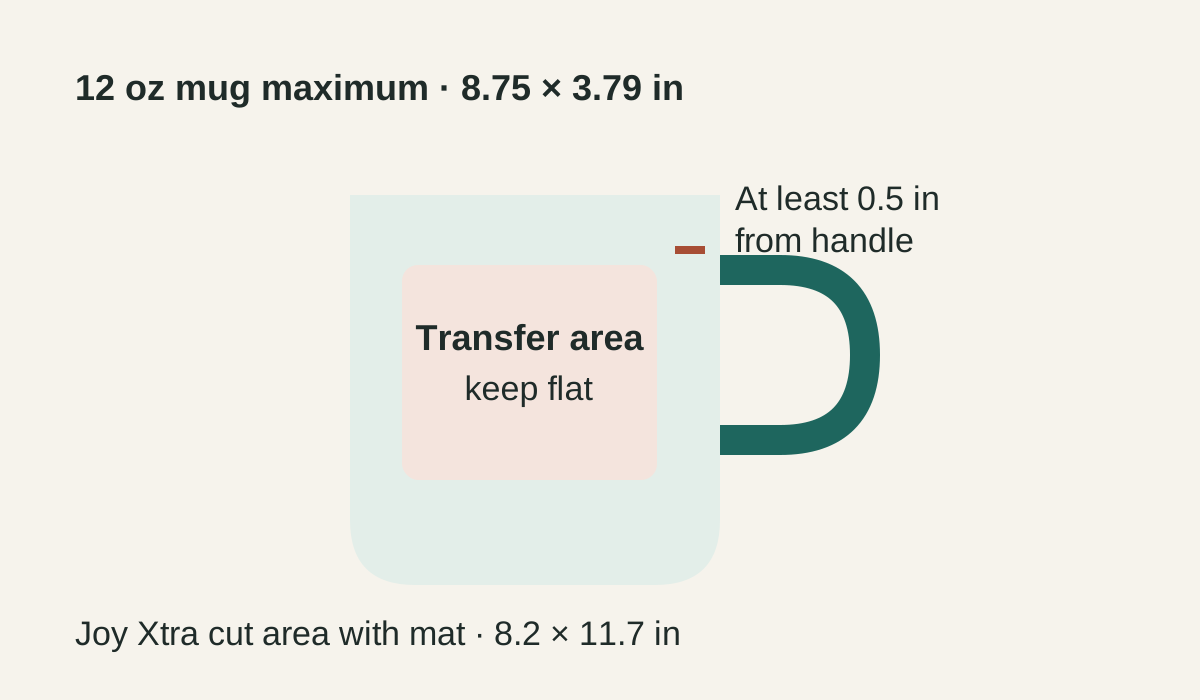
The 12-ounce Cricut mug project uses an exact Cricut blank and pre-inked transfer sheet. Prepare the design with the cutter setup lesson, then follow the project for placement, fixation, pressing and cooling. Remove a finished mug carefully by its handle and cool it fully on a heat-resistant surface before handling or peeling.
A different mug needs a fresh fit check. Cricut’s compatible-materials instructions describe a smooth straight surface, 3.2–3.4-inch diameter and maximum 4.72-inch height for non-Cricut candidates, without guaranteeing those blanks. Handle interference, taper and coating still matter. A tumbler’s ounce capacity cannot establish fit.
The sheet workflow needs a compatible cutter, the matching StandardGrip mat, transfer sheet, heat-resistant tape and cleaning/cooling supplies listed by the project. A marker design has different protective-paper requirements. Confirm what your selected package includes before buying extras; this page does not give a current checkout quote.
Clean the cooled press
Unplug the press and let it cool completely. Cricut’s cleaning instructions specify a soft cloth with water or glass cleaner applied to the cloth. Do not spray the press, immerse it, or use flammable liquids or solvents such as acetone. Do not borrow the EasyPress warm-plate cleaning routine for this machine.
When another press makes sense
Choose another documented equipment path when the blank is tapered, too large, or outside Cricut’s supported geometry, or when your work requires a different pressing surface. Compare tumbler press fit limits for cylindrical drinkware and flat presses for coasters and fabric. Those comparisons identify candidates; an exact blank still needs its own instructions.
Sources and checks
The current activation FAQ and cleaning article were checked October 3, 2026. Geometry and the official mug workflow are source-backed documentation reviewed September 23, 2026. No hands-on durability, output or throughput test is claimed. Save your setup details on the blank equipment card.