The SP1 is a useful shortlist choice for Letter/A4 and Legal-size sublimation work, especially if you want Brother’s cartridges and an optional phone-based Artspira workflow. You can also print through the Windows driver or macOS AirPrint. The current manual fills in the practical limits that the product page leaves out.
Paper and usable width
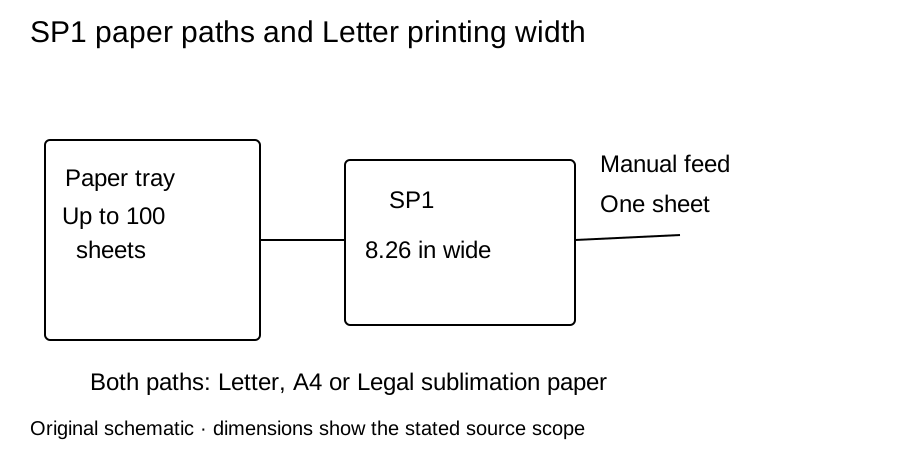
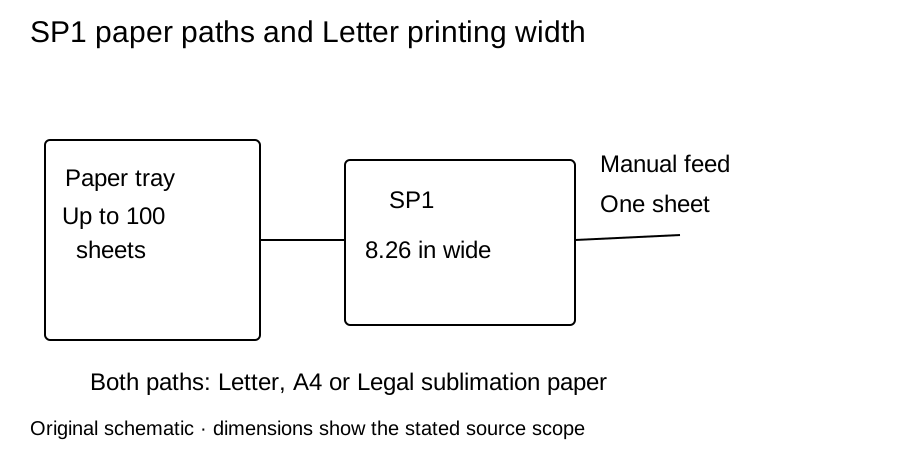
Brother’s U.S. manual lists Letter, A4 and Legal sublimation paper for both the tray and rear manual feed. The tray holds up to 100 sheets of Brother SP01PL; the manual slot takes one sheet. Choose the manual slot when the supported paper’s weight or loading instructions require it.
The manual shows 3 mm unprintable margins on each edge and explicitly lists an 8.26-inch printing width on Letter. Application settings can reduce that area. Check the print preview and measure your blank before designing to this boundary.
Phone or desktop workflow
Artspira is a mobile option, not a requirement to print everything. Brother documents Windows driver printing and macOS AirPrint alongside Artspira. The current U.S. OS list includes Windows 10/11 and macOS 11–15 and 26; older listed systems may no longer receive updates. Select your exact version on the support site. USB, Ethernet, Wi-Fi and Wi-Fi Direct are documented connections.
For a specific desktop job, use the SP1 Windows print lesson with the supplied coaster PDF, then continue to the printed hardboard coaster project. It includes a physical-scale check; no successful print is claimed here.
What comes in the box
Brother’s structured contents list four 47 mL cartridges: SP01BKS black, SP01CS cyan, SP01MS magenta and SP01YS yellow, plus ten SP01PLS sample sheets. A separate marketing paragraph says “a couple,” so the quantity should be checked against the current carton list. Retail Letter paper SP01PL is a separate 100-sheet pack.
The product-page body dimensions are 17.1 × 13.5 × 6.2 inches, before operating clearance. Make room for tray extension and rear loading rather than treating the closed footprint as the whole workspace. A two-year limited warranty and replacement service is listed; review its terms.
Check print quality before a batch
Use the SP1 maintenance section for its touchscreen quality check, ink-level menu and documented cleaning limits. Do not adopt a Sawgrass power or cleaning procedure merely because both machines use sublimation ink.
Purchase and next step
- Brother SP1 Sublimation Printer at Brother US · SKU SP1
$429.99 observed 2026-10-03
Availability could not be confirmed on 2026-10-03.
Merchant link checked .
Prices and stock are dated observations. Recheck the selected variant, tax, shipping and contents before buying.
Compare this cartridge workflow with the F170 and SG500, then use the printer guide and printer settings guide to plan the full setup. This is a documentation review, not a print-quality, yield or reliability test.
Sources and checks
The manual and OS list were reviewed on 2026-10-03. Product/carton and offer observations retain their September dates.