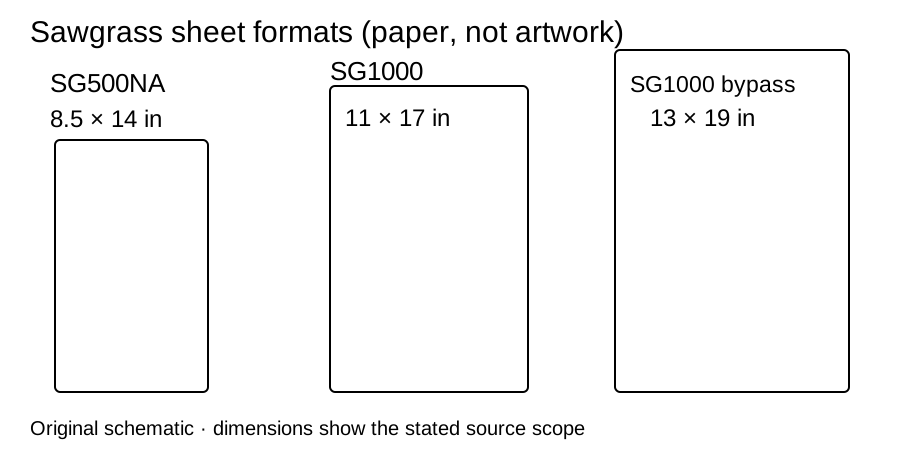
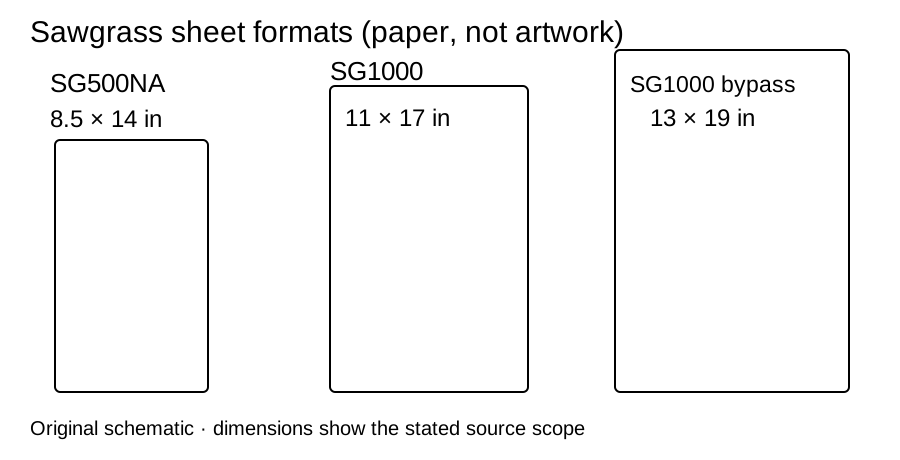
Choose the SG1000 for a design that needs wider sheets than an 8.5-inch desktop feed. Its main tray takes up to 11 × 17 inches; the optional bypass takes 13 × 19. Confirm the actual imageable area before making the design fit a nominal sheet.
Plan the wider paper route
An 11-inch-wide sheet can make sense for artwork that cannot fit the SG500’s 8.5-inch feed in either permitted orientation. For 13 × 19-inch media, plan for the rear bypass accessory as well as the printer. Check the exact paper product, its loading orientation and the software’s printable bounds; a wider feed does not establish that the complete image can reach every sheet edge.
Sawgrass’s bypass instructions require enabling the installed accessory in the driver and selecting it in Print Utility. Before an oversized run, confirm the same paper size and tray in the design app, driver and Print Utility. Check the preview for cropping and print a measured proof before committing blanks.
Leave access around the machine
The optional tray mounts at the rear. Plan room for inserting long sheets, inspecting the feed and retrieving output, not only for the closed printer body. A verified full operating footprint is not recorded here. Get the exact configured dimensions and required clearance from the seller, then measure the actual work surface. USB, Ethernet and 2.4 GHz Wi-Fi are documented connections; verify current software support for your computer before ordering.
Buy for one installed ink system
Confirm the ink family on the quote and on the machine. The ink guide now links exact 31 mL SubliJet UHD replacements for both SG500 and SG1000. VersiFlex is a different ink/media system; Sawgrass warns that mixing it with SubliJet UHD can damage the printer. A software dropdown cannot change the ink physically installed.
The official SG1000 SubliJet bundle, merchant SKU PRNT1000N STND BUNDLE, was US$1,699.95 and available on October 3, 2026, before tax and shipping. It lists full 31 mL-per-cartridge ink, 100 transfer sheets, software and setup/training. The contents do not specify the paper SKU/format or bypass inclusion. Get those two answers before buying for 13 × 19-inch work.
- Sawgrass SG1000 at Sawgrass Official Store · SKU PRNT1000N STND BUNDLE
Package scope at this destination
- Full SubliJet ink set, 31 mL per cartridge
- 100 transfer-media sheets; exact paper SKU and format not specified
- MySawgrass software, Print Utility/TruePix color management and setup/training
The included items are documented only to the scope shown. Unspecified consumable details are not treated as a complete purchase-ready setup.
$1,699.95 observed 2026-10-03
The merchant listing showed in stock on 2026-10-03.
Merchant link checked .
Source: [1] Sawgrass Technologies
Prices and stock are dated observations. Recheck the selected variant, tax, shipping and contents before buying.
Keep the printer ready for a batch
Sawgrass’s SG500/SG1000 maintenance guidance says to keep these printers powered and plugged in for automatic maintenance and print once or twice weekly when not used daily. Check nozzles before a large job; follow the model-specific cleaning limits rather than running repeated cleanings. The maintenance section links the full routine and a care card.
Keep the selected tray, paper identity, installed ink and software settings on the blank equipment card. Make one measured proof each time you change format or feed path. This is a documentation-based ownership plan, not a tested productivity or ink-yield result.
Compare only when the width decision is unresolved
The SG500 vs SG1000 comparison explains the matched bundle difference and the SG500’s separate 51-versus-19-inch bypass-length conflict. If you need 24-inch roll media instead, use the printer shortlist. No source here establishes that SG1000 print quality is better than SG500 merely because it is larger.
Sources and checks
Sawgrass SG1000 specifications, bypass setup, SG500/SG1000 maintenance and the exact bundle above. Product and merchant information reviewed October 3, 2026; maintenance source reviewed September 23, 2026. Warranty eligibility depends on purchase date and purchaser status; review the full warranty terms.